

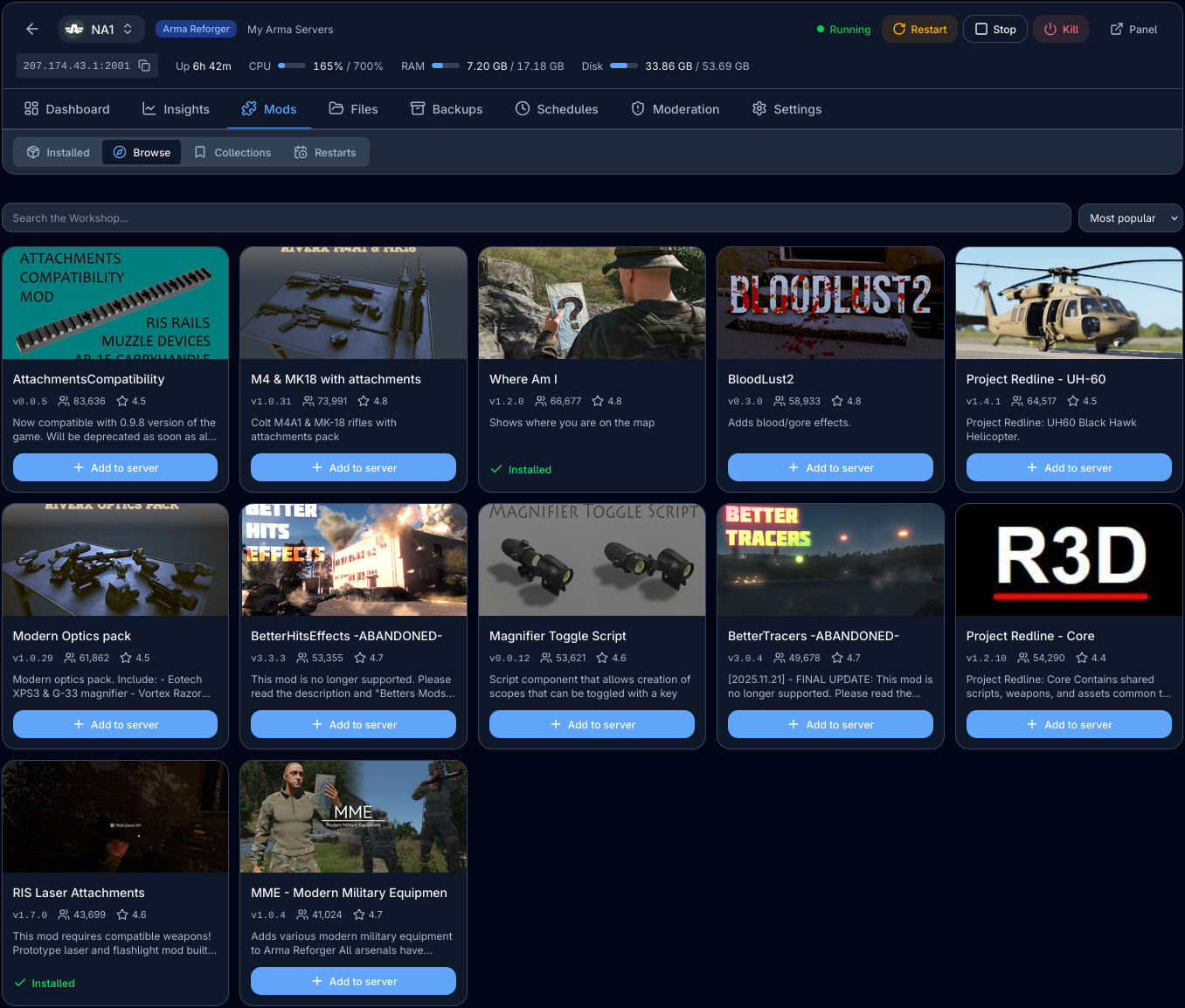
One-Click Mod Manager
Search the workshop and add or remove mods with a single click — no config files, no copying mod IDs.
Included with every server
- Mod Collections
Create, manage and load saved mod collections for easy switching between different scenarios.
- Version Locking
Easily lock mods to specific versions, or unlock them to always use their latest versions.
- Scheduled Restarts
Schedule automated server restarts after updating your mods with flexible options.
- Mod Size Calculation
See the total size of your collection that players will need to download before joining your server.
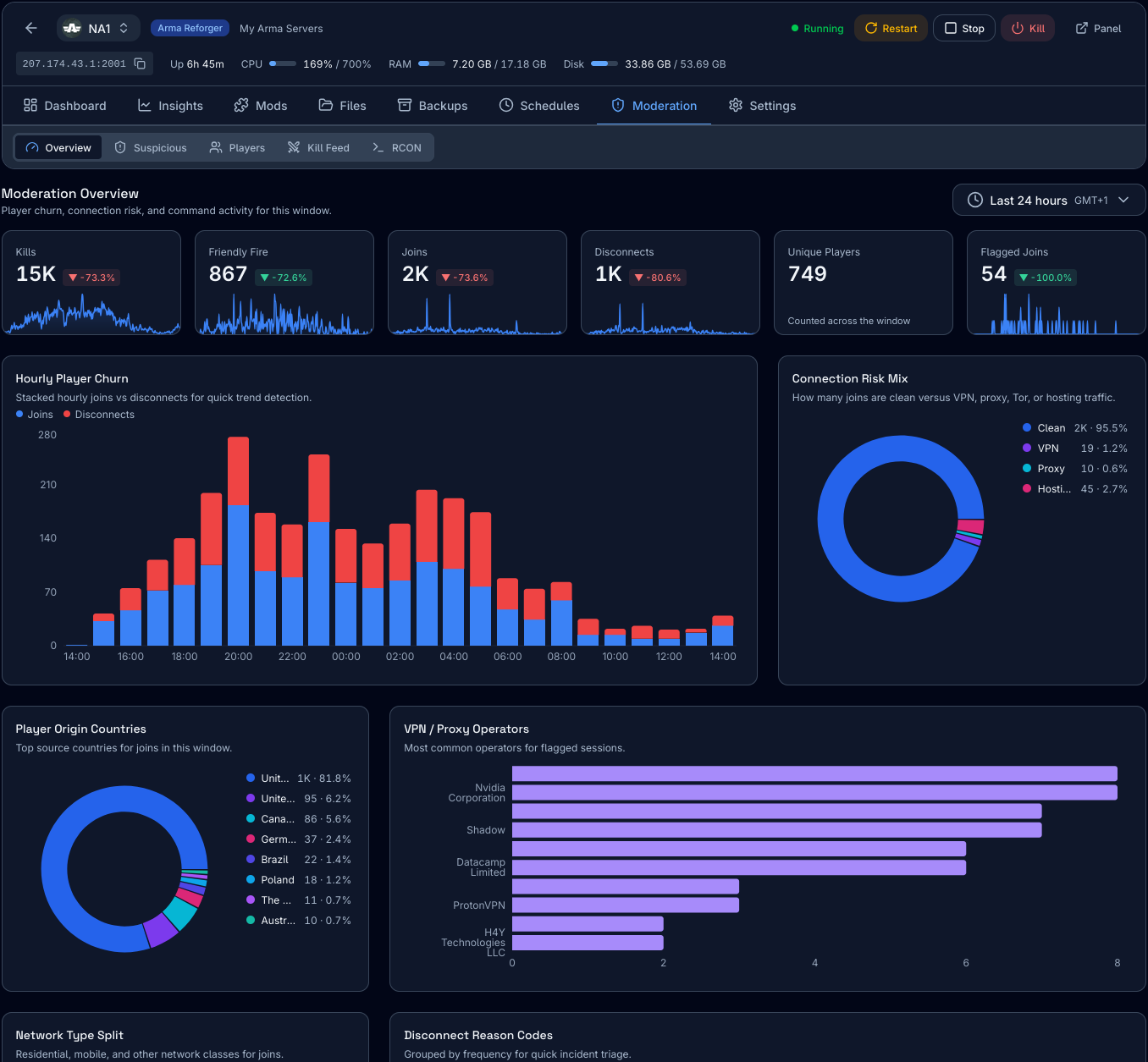
Analytics & Moderation
Spot bad actors early and review exactly what happened on your server with detailed player activity logs.
Included with every server
- Alt-Account & VPN Detection
Identify players connecting from VPNs or with multiple accounts to help you spot potential ban evaders and account sharers.
- Player Connections & Sessions
View a log of player connections and sessions, including name history, session durations, and more to help you and your team audit player activity.
- Advanced Moderation Logs
View detailed insights of player activity, including kills, deaths, and other important metrics to help you manage your community effectively.
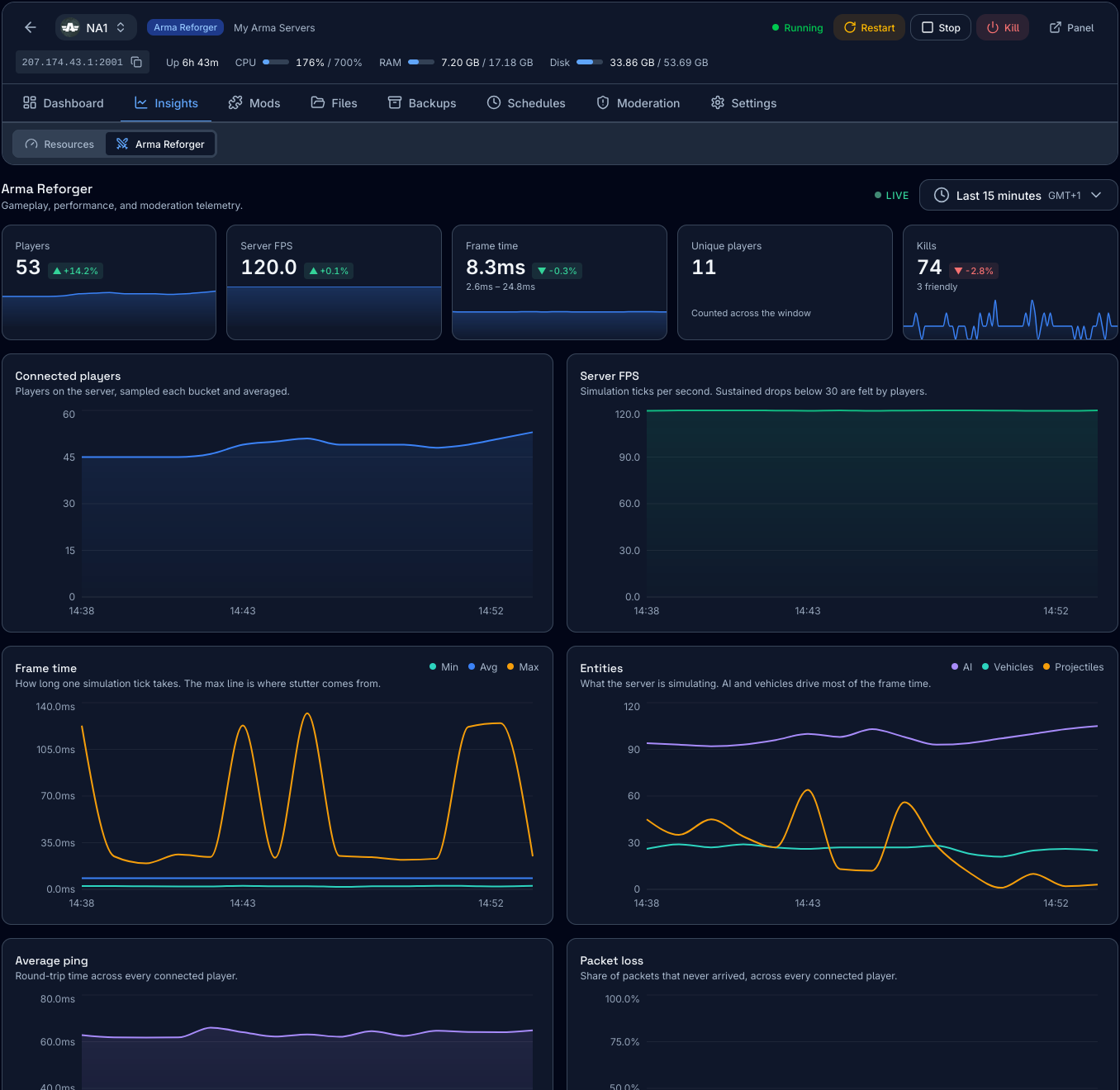
Performance Analytics
Browse charts and graphs of your server's health across a 30-day window to monitor performance trends and identify potential issues.
Included with every server
- Server FPS & Frame Time
Track the simulation tick rate of your server and how long each tick takes to run. Catch those subtle micro-stutters that your players swear about but you can't see.
- Entity Load
See the AI, vehicles, and projectiles that exist on your server and how many are spawned at any given time. This helps you correlate FPS drops with entity load and identify performance issues.
- Ping & Packet Loss
Round-trip latency and dropped packets averaged across every connected player, so when a player experiences lag, you can pinpoint the cause or location of the issue.
- Player Activity
Aggregated metrics of player behavior, including connections, disconnections and kills over time, so you can monitor your server's activity and identify potential issues with player retention.
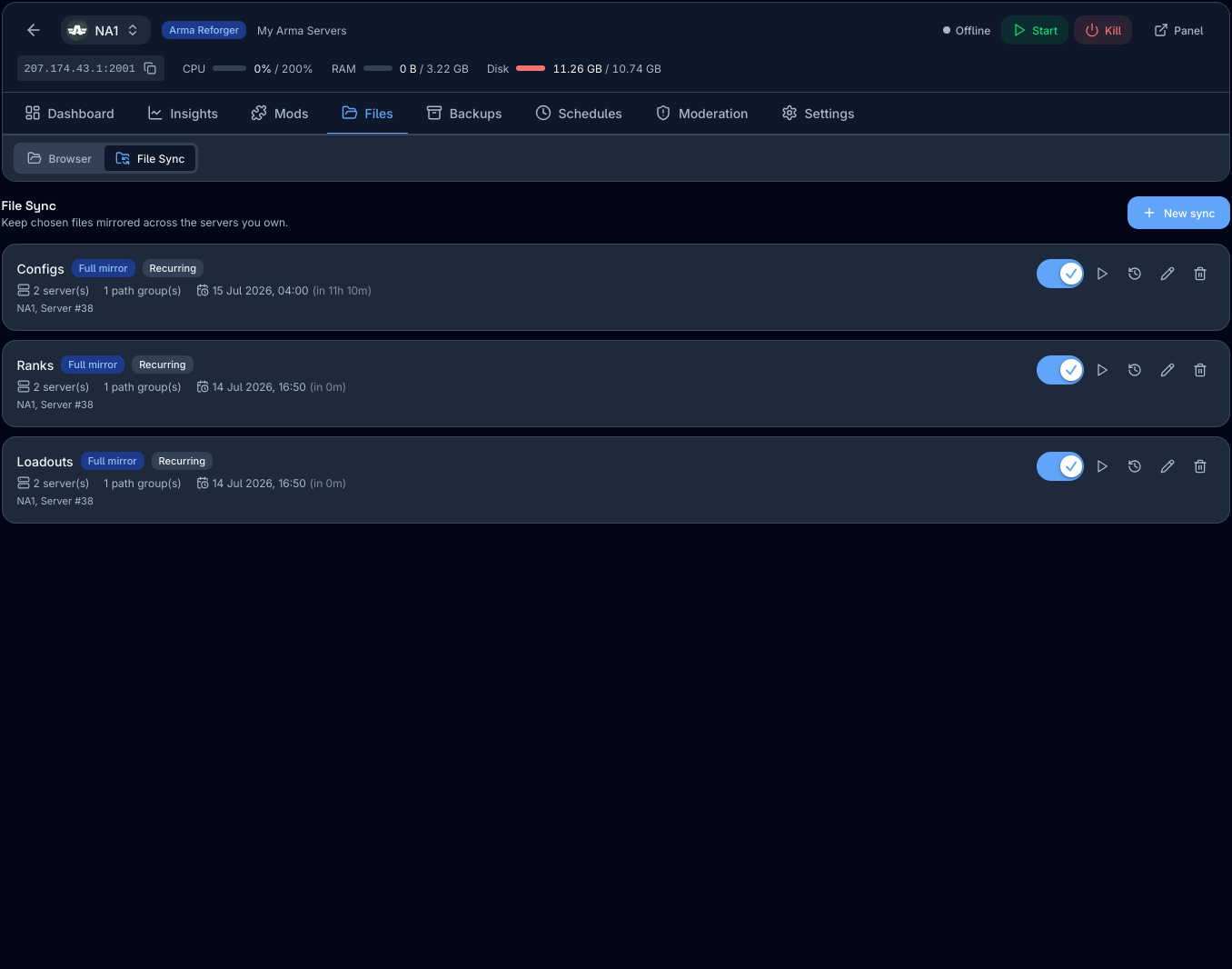
File Sync (Ranks & Loadouts)
Easily synchronize configs, player ranks, loadouts, and files across multiple servers for consistency and ease of management.
Included with every server
- Multiple Presets Available
Preset file paths for common mods (such as WCS_LoadoutEditor) are available and supported out of the box without having to set things up yourself.
- Flexible Schedules
Run syncs manually (on-demand), at a specific date or time, or schedule them to run automatically at specified intervals or days.
- All Files Supported
All file types are supported with directory/folder support. Custom mod or config? No problem, just tell us where it is and our panel will do the rest.
- Any Location. Any Node.
Synchronize files across up to 10 servers, even if they are in different physical locations or on different nodes. Synchronize your regions with ease.
DDoS Protection Included
Every Arma Reforger server includes always-on DDoS filtering
Built for the game itself and not a generic 'one size fits all' solution. Never go down again, keep your players connected while our market-leading DDoS protection works with zero disruption, no matter the attack size.
Have we convinced you yet?
Build your Arma Reforger server to your specifications and see exactly what you'll pay — no hidden fees.
Server specs
Recommended Plan
Small Milsim
Recommended for up to 16 concurrent players
4GB
RAM Profile
CPU
1 Thread
Storage
20 GB
Capacity
Up to 16 players
Estimated Monthly
$13.65
- Proven & Unbeatable DDoS protection
- 48H Refund Policy
- Powered by AMD Ryzen 9 CPUs
- Instant Deployment
Server location
Deploy near your players for the lowest latency. Your nearest site is marked.
Billing & extras
Pick a billing cycle. Promo codes are applied in the summary.
Global Network
Deploy your Arma Reforger server close to your players
4 sites live today and 7 more building out. Every location runs the same DDoS-protected hardware and instant provisioning.
Montreal, CA
New York, US
Frankfurt
London
Guides
Running your Arma Reforger server
Setup walkthroughs, configuration references, and troubleshooting from the team that hosts them.
Guide
How to Add Workshop Mods to an Arma Reforger Server
Add mods to the config.json mods array, get the load order right, and avoid the version-mismatch errors that stop clients joining.
Guide
Arma Reforger config.json Explained: Every Field, and What to Actually Change
A field-by-field reference for the Arma Reforger server config.json, with the defaults, the safe ranges, and the handful of settings that are worth touching.
Guide
Arma Reforger Crossplay: One Server for PC, Xbox and PS5
Enable crossplay in config.json, understand the PlayStation restriction on mods, and get a mixed-platform group onto the same Arma Reforger server.
Deep dive
10 Arma Reforger Hosting Providers, Compared Honestly
Most Arma Reforger hosting comparisons rank on price per slot. For this game a slot is the wrong unit entirely — here is the comparison done properly, by a provider that is on the list.
Deep dive
What Changed for Server Admins in Arma Reforger 1.8
The 1.8 update added real server-side controls — configurable contesting, a teamkill auto-kick override, and a custom player-list action framework. Here is what to actually change.
Explore More
More game servers from us to you
Run more of your favourite games on the same DDoS-protected low-latency network with instant deployment.


FAQ
Frequently Asked Questions
Join our Discord!
Get instant support and connect with other server owners